Guides19 min read
Digital Wedding Invitations: The Complete Guide (2026)
What digital wedding invitations are, the six formats, what each costs, when to send them and the ten questions to ask before you pay, with live invitations to open.
By The Veiloria AtelierPublished Updated

Contents
- What is a digital wedding invitation?
- How digital wedding invitations work, step by step
- The 6 types of digital wedding invitation
- What to include in a digital wedding invitation
- Are digital wedding invitations acceptable?
- How much do digital wedding invitations cost?
- When to send digital wedding invitations
- How to send them: WhatsApp, text, email and QR codes
- Languages, music and the details that make it yours
- How to choose: 10 questions to ask before you pay
- Sources
- Frequently asked questions
Digital wedding invitations are invitations your guests open from a private link on a phone or computer, with every detail of the day and the RSVP in one place. Send them 8–12 weeks before the wedding, after a save the date 6–12 months out; guests need no app, and prices run from free tools to per-guest platforms to one price per wedding.
Below: what it is, how it works on both sides of the link, the six formats and their real prices, what goes inside, when and how to send it, and ten questions to ask before you pay. Every outside number is sourced and dated.
What is a digital wedding invitation?
A digital wedding invitation is a wedding invitation delivered as a link rather than an envelope: guests open it in their phone's browser, read every detail of the day, and reply inside it.
A one-sentence definition
A digital wedding invitation is a private wedding page your guests open from one link, on any phone or computer, that holds the invitation itself, the details of the day and each guest's RSVP.
The best ones still behave like stationery: they open with a moment of their own, such as a seal breaking or a curtain rising, before the names, the schedule, the map and the reply.
Digital, online, electronic, e-invite, virtual: the same thing?
Yes. These words all describe the same object, and couples use them interchangeably.
| Term | What people usually mean | How often it's searched (US) |
|---|---|---|
| Digital wedding invitation | The general term, and the one this guide uses | Index 31.0, up from 10.4 in 2021–22 |
| Online wedding invitation | The same thing, often with "free" or "with RSVP" after it | Index 47.9 |
| Electronic wedding invitation | An older phrasing, usually meaning an email invitation | Index 0.5 |
| E-invite | A short, informal word for any invitation sent online | Not measured for weddings alone |
| Virtual wedding invitation | Sometimes an invitation to a livestreamed wedding; check which one a service means | Not measured |
| Paperless wedding invitation | Close to a brand name now (Paperless Post) | Index 0.3 in a separate comparison |
The indices are Google Trends, US, averages over the last 52 weeks, relative to each other within one comparison (checked 19 October 2026). In plain terms: interest in "digital wedding invitations" roughly tripled in four years, and "online" is still the word more people type.
What it is not: a PDF, a photo or a template you fill in
A PDF or a photo of a paper card sent by message is a digital copy of an invitation. It carries the names and date, and a PDF can hold a map link or a second language, but it can't take replies on its own or update a copy a guest already has.
A template you fill in yourself is a design tool: you supply the wording, the photographs, the RSVP form and the troubleshooting. Both are fine for a small or casual wedding; neither is the whole invitation.
The clearest way to understand the format is to open one. Our demo couple Margaux and Henri's Cachet invitation opens with an oxblood wax seal; tap it on your phone exactly as a guest would.
How digital wedding invitations work, step by step
A digital wedding invitation works in three stages: it is made and approved, one link is shared with guests, and their replies arrive in a list you can read and export.
For the two of you
- Choose a design. From a catalog, a designer's collection or a blank page.
- Send your details. Names, date, times, addresses, the schedule, dress code, travel notes, gifts and the reply-by date.
- Write or approve the wording. Who is hosting, how formal it feels, which languages it speaks. Our wedding invitation wording guide has examples for every situation.
- Review a proof. Nothing should reach a guest until you have read it on your own phone.
- Share the link. By WhatsApp, text or email, once or a hundred times.
- Update as plans change. A good invitation lets you correct a time or an address on the same link, with nothing to resend.
At Veiloria, a designer makes the invitation by hand in 7–14 days on Essential and Premium (Bespoke follows a schedule agreed before work starts), you send comments in 2, 4 or 7 rounds depending on the plan, and nothing is shared until you approve it. The whole sequence is on how it works.
For your guests: one link, nothing to download
Guests tap the link and the invitation opens in the browser they already have: no app, no account, no password. They play the opening, read the sections, tap the map, add the date to their calendar and reply.
If you send personal links, the invitation can greet each guest by name and allow exactly the number of people you've invited.
Where the replies go
Replies arrive in a private list as guests send them: who is coming, each person's name, dietary needs and anything else you asked. A good service exports it to a spreadsheet and lets guests change their answer from the same link.
For the RSVP in depth, including which questions to ask and how to set the deadline, read our guide to digital wedding invitations with RSVP.
The 6 types of digital wedding invitation
There are six formats in common use, and they differ in how guests open them, whether the RSVP is built in, and how you pay.
| Type | How guests open it | RSVP | Languages | Pricing model | Best for |
|---|---|---|---|---|---|
| Image or PDF by message | An attachment in a chat or email | Separate: guests text back or fill in a form | One per file | Free to a few dollars | Small or informal weddings, courthouse ceremonies |
| E-card platform | Email or text: a digital envelope, then a card | Built in, with tracking | Varies by service | Per guest or per mailing | Couples who want tracking and a designed card from a catalog |
| Video invitation (MP4) | Plays in a chat, often forwarded | None inside the video | One per video | Free apps or a fee per video | Announcing on social media and family group chats |
| Wedding website with RSVP page | A website link | A separate RSVP page | Often one | Free core, paid extras | Long weekends with lots of logistics |
| Designed invitation page | A private link: an opening, then sections | Inside the invitation | Two or more, by plan | One price per wedding | Couples who want the feeling of stationery plus the RSVP |
| Hybrid | A printed card with a QR code, plus the link | Online | As per the digital part | Digital price plus printing | Mixed-age guest lists and formal families |
An image or PDF sent by message
The simplest format costs little and everyone can see it. The trade-off comes after the first look: replies scatter across chats, a changed time means a new file, and guests scroll back to find the address.
E-card platforms priced per guest
Paperless Post, Greenvelope and Evite send a card, chosen from their catalog or uploaded by you, inside a digital envelope, by email or text. They are strong on tracking and reminders; the price rises with the guest list (figures below).
Video invitations (an MP4 file)
A video invitation is a short film of the invitation, sent as a file. Interest is rising fast: US searches for "wedding invitation video" went from an index of 0.4 in 2021–22 to 25.8 over the last 52 weeks (Google Trends, US, relative index, checked 19 October 2026). A video is easy to forward, but it can't take a reply or change a detail once sent. We compare the two formats in video vs animated wedding invitations.
Wedding websites with an RSVP page
Zola and Joy offer a free wedding website with an RSVP page. A website holds a lot (the full weekend, registries, hotel blocks) but is less of an invitation: guests land on a page rather than open something addressed to them. Zola's own FAQ says it does not offer digital invitations, only digital save the dates (checked 19 October 2026). When you need one, the other, or both is the subject of wedding website vs invitation.
Designed invitation pages: animated, with the RSVP inside
This is the format the rest of this guide mostly describes: a single private page, designed around one wedding, that opens with a moment of its own and then holds every detail and the reply. Studios that work this way, Veiloria and The Digital Yes among them, charge one price per wedding, with a designer rather than a do-it-yourself tool. The range of what "designed" can mean is wide:
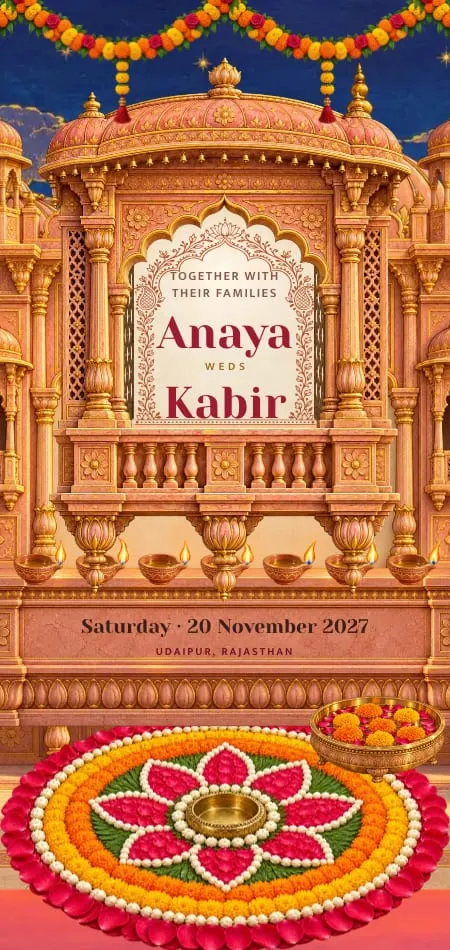


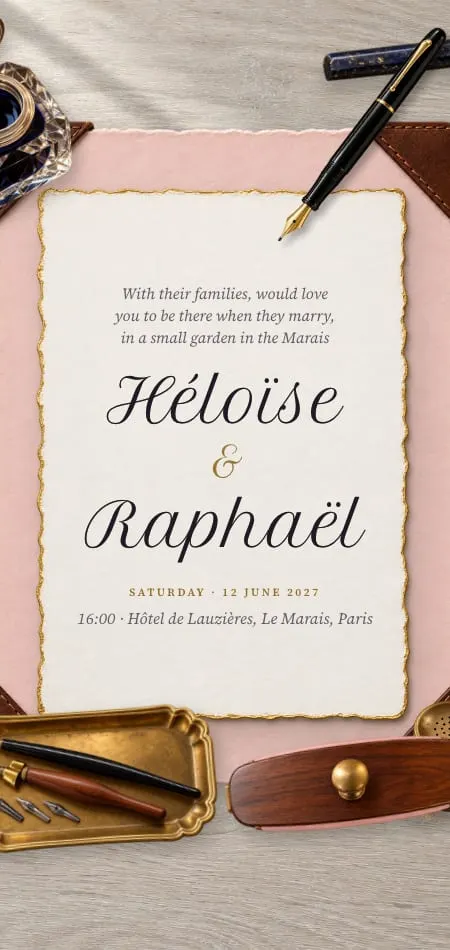
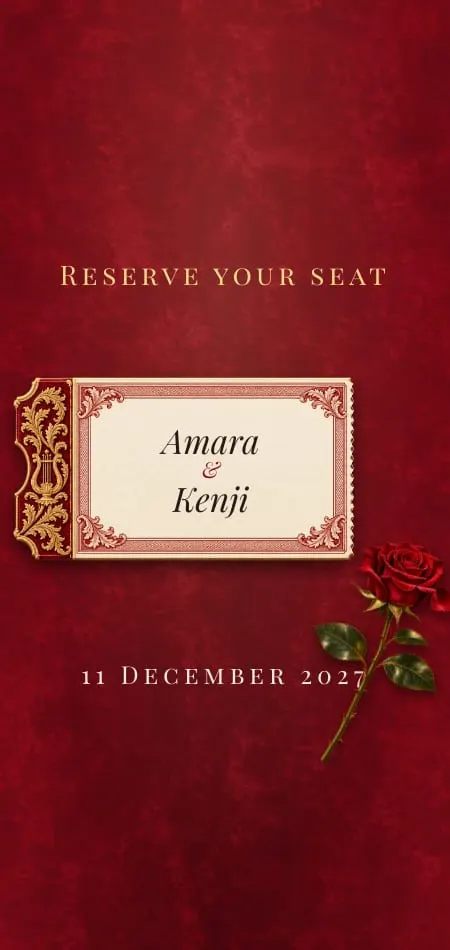
An opera curtain, carved palace shutters, a brass astrolabe, a blue morpho in a cloud forest. For this format at its most considered, read our guide to luxury digital wedding invitations.
Hybrid: digital for everyone, paper for a few
The hybrid suits formal families and mixed-age guest lists. Everyone receives the link; a handful of guests (grandparents, a godmother, the officiant) also receive a small printed card with the names, the date and a QR code that opens the full invitation. You keep the replies in one place and the keepsake in a few hands.
What to include in a digital wedding invitation
A good digital wedding invitation includes eight essentials, a few sections that answer guests' questions before they ask, and nothing that belongs on the day itself.
The eight essentials
- Who is inviting. The couple, the parents or "together with their families".
- Your names, as you want them to appear.
- The date and time, with the time zone if guests are traveling.
- The venue, with the full address and a map that opens in one tap.
- The schedule. Ceremony, cocktails, dinner, dancing: at least the start times.
- The dress code, in words guests understand ("black tie", "garden formal", "linen and flat shoes").
- The RSVP, with a reply-by date.
- How to reach you or a family contact for questions.
Our checklist of what to include in a wedding invitation goes through each point with examples.
The sections that save you questions
Each of these answers a question guests would otherwise text you:
- Travel and stay: the nearest airport, a hotel or two, parking, a shuttle time.
- Gifts: a registry link, a honeymoon fund, or a line asking for nothing.
- Children: whether they are invited, said kindly and plainly.
- Accessibility: steps, distances on foot, seating for older guests.
- Add to calendar, so nobody books anything else that afternoon.
- The weekend: a welcome dinner or a brunch, if there is one.
What to leave for the website or the day
Leave out the seating chart (it changes until the last week), the menu unless guests choose a meal, forty engagement photos, and the order of speeches. If the weekend is complicated, link to a fuller page rather than turning the invitation into a manual.
Are digital wedding invitations acceptable?
Yes: digital wedding invitations are acceptable for almost every wedding, provided they are designed with care, sent to each guest personally, and backed by paper for the few guests who need it.
What has changed
Over the last 52 weeks, US searches for "digital wedding invitations" overtook searches for "when to send wedding invitations", one of the oldest planning questions (Google Trends, relative index 46.5 vs 37.7, checked 19 October 2026). The format grew up: animated openings, built-in replies and several languages do things paper can't. And replying takes a tap instead of a stamp.
What still reads as careless is the sending: a group chat with two hundred numbers, a forwarded image with no greeting, a link with no names. Our post on whether digital wedding invitations are tacky answers the objection in full. The digital wedding invitation etiquette rules cover the sending.
When paper still makes sense
- Guests without a smartphone, or who will not open links from anyone.
- Families for whom the printed card is part of the ritual. In many Hindu families, the first card is offered to Ganesha before any guest receives one, and cards are delivered to elders by hand.
- A keepsake for the two of you, your parents or a grandparent's mantelpiece.
- Very formal households where a printed invitation is expected.
None of these require paper for everyone. They usually mean ten or twenty printed cards, each pointing to the same link. For the full trade-off, see digital vs paper wedding invitations.
How much do digital wedding invitations cost?
Digital wedding invitations cost from nothing (do-it-yourself tools) to about one dollar per guest (per-guest platforms) to a single price per wedding for a designed invitation, roughly $200 to $1,000 at the studios we checked. The model matters more than the headline price.
Free and do-it-yourself
Design tools such as Canva cost little or nothing, and Joy advertises free online wedding invitations beside its free website (withjoy.com, checked 19 October 2026). You pay in time: writing, laying out, setting up replies and fixing what breaks on a small screen.
Per guest or per mailing
| Service | How it charges | 100 guests | 250 guests |
|---|---|---|---|
| Paperless Post | Per guest: $0.50 Basic, $1.05 Premium, $1.44 All Access at 50 guests, less per guest on longer lists | $85 on Premium | $175 on Premium |
| Greenvelope | Per mailing, by guest count | $99 (up to 100) | $249 (up to 250) |
| Evite | Per event, by guest cap | $99.99 Diamond (up to 750) | $99.99 Diamond |
Prices as listed on paperlesspost.com/pricing, greenvelope.com and support.evite.com on 19 October 2026. Paperless Post's totals are its calculator's quotes, and it lets you send the first 50 invitations directly for free on its free designs and features, and Greenvelope and Paperless Post both sell annual plans for people who host often.
Per-guest pricing is fair for small lists. It also means the save the date is a second purchase, and thirty extra guests change the bill.
One price per wedding
Designed invitation studios charge once per wedding, whatever the guest count. The Digital Yes lists €175, €575 and €975 (thedigitalyes.com, checked 19 October 2026). Veiloria's plans are $199, $599 and $999 (or the equivalent in your currency), each with unlimited guests, unlimited sends and the RSVP built in, and no subscription. Every inclusion is listed on the pricing page:
The three plans
One payment per wedding.
One-time payment
The design
- Design
- From the collection, as is
- Redesigned in your style
- 100% bespoke, from scratch
- Personalisation
- Your details and photos
- Custom icons and illustrations
- Fully bespoke
- Venue illustration
- Optional · +$55
- Included, painted by hand
- Included, exclusive
- Monogram
- Optional · +$29
- Included
- Included, bespoke
- Animated cover & music
- Optional · from +$19
- Included
- Included, original edit
- Art direction
- —
- —
- Editorial
Working with your designer
- Your designer
- Contact after ordering
- Dedicated to your wedding
- Dedicated, priority replies
- Design revisions
- 2 rounds
- 4 rounds
- 7 rounds
- Ready in
- 7–14 days
- 7–14 days
- Your own schedule
- Express delivery
- 1–4 days · +$99
- 1–4 days · +$99
- Not available
For you and your guests
- Languages
- 2 included
- Up to 3
- As many as you need
- Save the Date
- Optional · +$79
- Included free
- Included, bespoke
- Guest list
- Optional · +$65
- Included
- Included
- Invitation for another event
- Optional · +$55
- Optional · +$55
- Optional · +$55
- Your own domain
- Optional · +$75
- Optional · +$75
- Included
On every plan
- RSVP
- Information · Unlimited, editable anytime
- Sends to guests · Unlimited
- Envelope with your initials
For scale, postage alone on paper: at USPS prices effective 4 October 2026, a stamped letter up to 2 ounces costs $1.11, and a square envelope adds a $0.49 nonmachinable surcharge, so mailing 100 square invitations comes to $160 before a single card is printed. The full arithmetic, guest count by guest count, is in our digital wedding invitation cost guide. For a fair, sourced comparison of the services, read the best digital wedding invitation sites.
When to send digital wedding invitations
Send the save the date 6–12 months before the wedding, the invitation 8–12 weeks before, and set the reply-by date about 4 weeks before the day.
| Piece | When | Example: wedding on Saturday 12 June 2027 |
|---|---|---|
| Save the date | 6–12 months before (9–12 for a destination wedding) | Between 12 June and 11 December 2026 |
| Invitation | 8–12 weeks before (about 3 months for a destination wedding) | Between 20 March and 17 April 2027 |
| Reply-by date | About 4 weeks before | 15 May 2027 |
| Reminder to anyone silent | A week before the reply-by date | 8 May 2027 |
Save the date
A save the date is a short notice of the date and place, sent early so guests can book time off and travel. It doesn't need the schedule or the RSVP. A digital one can match the invitation that follows; every Veiloria design has a matching Save the Date. Our guide to the digital save the date covers wording and timing.
Invitation
The invitation carries everything: the schedule, the map, the dress code and the reply. Eight to twelve weeks gives guests time to plan without forgetting. The month-by-month detail, including late additions and B-lists, is in when to send wedding invitations.
Reply-by date
Set the reply-by date about four weeks before the wedding, or a week before your caterer's final-numbers deadline, whichever comes first. A digital invitation can show it plainly ("Kindly reply by 15 May") and still accept late replies, which saves you a round of phone calls.
How to send them: WhatsApp, text, email and QR codes
Send digital wedding invitations one guest or one household at a time, by the channel each guest reads most, with a short personal message above the link.
WhatsApp, text and email
Send individually, never to a group: a group exposes every guest's number. Write one line of greeting, then the link. Three messages to copy:
Formal: Dear Aunt Hélène, Henri and I would be honored to have you with us in the Loire Valley on 12 June. Your invitation is here, with every detail and the reply: [link]
Warm: Camille! It's happening: 12 June, in the Loire. We can't imagine the day without you. Open your invitation here, and tell us you're coming 💌 [link]
Short: Our wedding invitation, with the details and the RSVP: [link]. With love, Margaux & Henri
By email, put both names and the date in the subject line ("Margaux & Henri, 12 June 2027: your invitation") so it isn't mistaken for a promotion. Our guide on how to send digital wedding invitations covers each channel step by step, including what to do when a link lands in spam.
A QR code for paper and for older guests
A QR code turns any printed card into a door to the invitation: a small card for grandparents, the few paper invitations you mail, a sign at the welcome dinner.
For older guests, the most reliable method is the oldest: call first. Say the invitation is coming, ask who helps with their phone, and offer to take their reply by phone.
Languages, music and the details that make it yours
A digital wedding invitation can do three things paper cannot: speak each guest's language, play music, and change after it is sent.
Each guest in their own language
When a wedding has guests in two or three languages, a good digital invitation shows each guest their own language automatically, with a switch to change it. At Veiloria, the language is detected from each guest's browser settings: Essential includes 2 languages, Premium up to 3, Bespoke as many as you need, and Arabic and other right-to-left languages read right to left. Our demo couple Yasmine and Idris wrote their Zellige invitation in English, French and Arabic, so a guest whose phone is set to French reads it in French. For wording in two languages side by side, read our guide to bilingual wedding invitations.
Music that starts on the first tap
Browsers don't let a page play sound until the visitor has interacted with it: Chrome, for example, allows autoplay with sound only after a click or tap (Chrome for Developers, autoplay policy, checked 19 October 2026). So a well-made invitation starts its music on the guest's first tap, softly, with a visible way to mute it.
Each of Veiloria's 43 designs comes with an original theme: the first 36 have one composed for them, and the seven newest borrow the one that suits them best. In the live invitation, music plays when the order includes it (Premium and Bespoke, or Essential with the music extra or the cover pack), using the couple's own song if they upload one. It loops, pauses when the guest switches tabs, and has a play and mute button in the design's colors. More on choosing and placing a song in digital wedding invitations with music.
Your venue, your colors
Personalization ranges from typing your names into a layout to having the cover redrawn around your wedding; ask which one you're buying. On Veiloria's Premium plan, your designer paints your real venue on the cover by hand, in your colors, with your monogram and icons made for your wedding; on Bespoke, the invitation begins on a blank page.
How to choose: 10 questions to ask before you pay
Choose a digital wedding invitation by asking every service these ten questions, and comparing the answers in writing.
- How is it priced: per wedding, per guest or per year? Ask for the total for your guest count, including the save the date.
- Can guests open it without an app, an account or a password?
- Is the RSVP inside the invitation, and what can it ask? Each person's name, dietary needs, children, a song, a note.
- Can you set how many people each guest may bring? Plus-ones are easier to give than to take back.
- Can you change a time or an address after sending, on the same link?
- How many languages are included, and does each guest see theirs automatically?
- Who makes it, and how many rounds of changes do you get? A template you fill in and a designer who sends proofs are different products.
- Can you open a live example on your own phone before paying?
- Is there a matching save the date, and a QR code for printed cards?
- How long does it stay online after the wedding, and can you export your replies?
A service that answers all ten clearly, in writing, before you pay, is one you can judge fairly. Our own answers are in the Veiloria FAQ. When you're ready to look at designs with these questions in mind, start with the collection.
Keep reading in this series:
- Are digital wedding invitations tacky?
- What to include in a wedding invitation
- Wedding website vs invitation: do you need both?
- How to send digital wedding invitations
- Digital wedding invitation etiquette
Sources
- Google Trends, United States, past five years, relative indices within each comparison, checked 19 October 2026: digital, online and electronic wedding invitations; wedding invitation video; paperless wedding invitations; digital wedding invitations vs when to send wedding invitations.
- Paperless Post pricing, checked 19 October 2026.
- Greenvelope pricing guide, checked 19 October 2026.
- Evite Premium pricing, checked 19 October 2026.
- Zola FAQ on digital invitations, checked 19 October 2026.
- Joy wedding invitations, checked 19 October 2026.
- The Digital Yes llms.txt, an earlier copy; it could not be reloaded on 19 October 2026.
- USPS Price List, Notice 123, effective 4 October 2026.
- Chrome for Developers: autoplay policy, checked 19 October 2026.
Frequently asked questions
What is a digital wedding invitation?
A digital wedding invitation is a private wedding page guests open from one link on a phone or computer. It holds the invitation, every detail of the day (schedule, map, dress code, travel) and each guest's RSVP. It is different from a PDF or photo of a paper card, which can't take replies on its own or update copies already sent.
How do digital wedding invitations work?
You choose a design, send your details, approve a proof and share one link by WhatsApp, text or email. Guests tap it, the invitation opens in their browser, and they reply inside it. Answers arrive in a list you can export, and details can be updated on the same link.
Are digital wedding invitations acceptable?
Yes, for almost every wedding, as long as the invitation is designed with care and sent to each guest personally rather than to a group. For the few guests who expect paper, a printed card with a QR code covers the gap.
How much do digital wedding invitations cost?
They cost from nothing with do-it-yourself tools, to about $1 per guest on per-guest platforms, to one price per wedding for a designed invitation. For 100 guests, Paperless Post Premium costs $85 and Greenvelope $99 (checked 19 October 2026); Veiloria charges $199, $599 or $999 once, with unlimited guests.
When should you send digital wedding invitations?
Send digital wedding invitations 8–12 weeks before the wedding, or about three months before if many guests travel. The save the date goes 6–12 months before, and the reply-by date sits about four weeks before the day.
Do guests need an app to open a digital wedding invitation?
No. A digital wedding invitation opens in the browser already on the guest's phone or computer. A well-made one asks for no app, no account and no password, even to reply.
Can older guests open a digital wedding invitation?
Yes, most can: if they can open a link in a text message, they can open the invitation. Call them before you send it, ask who helps them with their phone, and offer a printed card with a QR code or to take their reply by phone.
Can you print a digital wedding invitation?
Yes, though what you print is usually a small card: your names, the date and a QR code that opens the full invitation. The animation, map and reply only work on screen, so the card is a door to the invitation, not a replacement.