Design11 min read
Video vs Animated Wedding Invitations: Which to Choose
A video plays; an animated web invitation opens, responds and collects replies. A side-by-side table, prices checked in October 2026, and how to make a good invitation video.
By The Veiloria AtelierPublished Updated
Contents
- The short answer
- What a video wedding invitation is, and why it's growing
- What an animated web invitation is
- Video vs animated wedding invitation, side by side
- Video wedding invitation price: what each option costs
- When a video is the right choice
- When an animated invitation is the better choice
- Can you have both?
- How to make a wedding invitation video
- AI wedding invitation video makers: what to watch for
- Sources
- Frequently asked questions
A video wedding invitation is a film your guests watch; an animated web invitation is a page they open, touch and reply from. Choose a video for one shareable moment, such as a social post or a family that wants a film, and an animated invitation when you need replies, maps, languages and last-minute changes on one link.
Below: both formats defined, a side-by-side table, prices checked on 19 October 2026, when each wins, and how to make the video well.
The short answer
If the invitation only has to be seen, a video is enough; if it has to do anything (collect replies, open a map, speak two languages, absorb a change), choose an animated web invitation. Four questions settle it:
- Do you need RSVPs? Animated invitation, or a video sent with a link.
- Could a time or address change? Animated invitation.
- Do guests read more than one language? Animated invitation.
- Is the main stage Instagram, TikTok or a family chat that forwards everything? Video, pointing to the invitation.
New to the category? Start with our guide to digital wedding invitations. For the craft, read what makes a luxury digital wedding invitation.
What a video wedding invitation is, and why it's growing
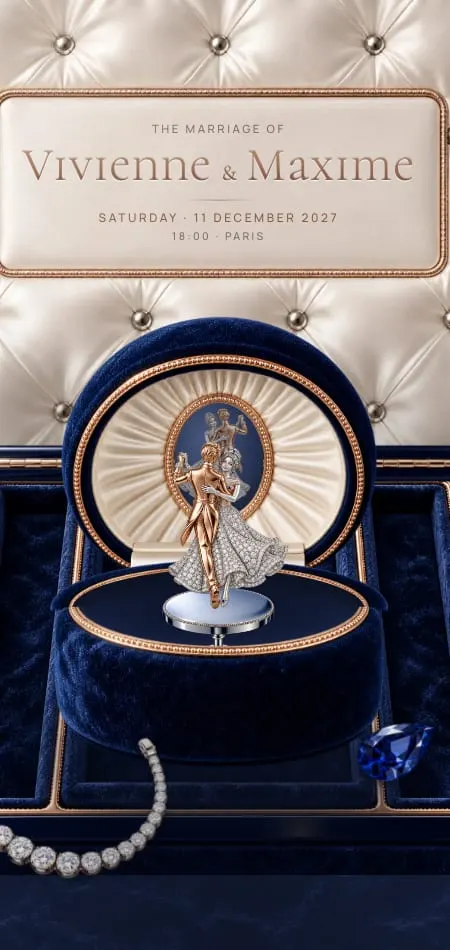
A video wedding invitation is a short film file, usually an MP4, that shows your names, date and venue with motion and music, and that guests play from start to finish. It can be illustration, footage of the two of you or photos with text cards; either way, guests press play and watch.
In the US, interest is rising fast: Google Trends' index for "wedding invitation video" was 0.4 in 2021–22, 11.7 in the year to October 2025 and 25.8 in the year to October 2026 (relative index, checked 19 October 2026). Worldwide, interest is larger and steady year on year, with India showing the highest relative interest; "canva wedding invitation video" is up 1,550% among its related searches.
What an animated web invitation is
An animated web invitation is a private web page, opened from a link in any phone browser, that moves when the guest touches it and holds every detail of the wedding along with the RSVP. Nothing to download, no account. The motion isn't a recording: it runs live on the guest's phone, so it can answer their hand.
A guest lifts a veil, breaks a wax seal or tilts the screen to catch the light. If the invitation has music, it starts on their first tap, as browsers expect: Chrome lets a page play sound on its own only once the visitor has interacted with the site, with a few exceptions (Chrome for Developers). For the openings themselves, see our tour of animated wedding invitations.
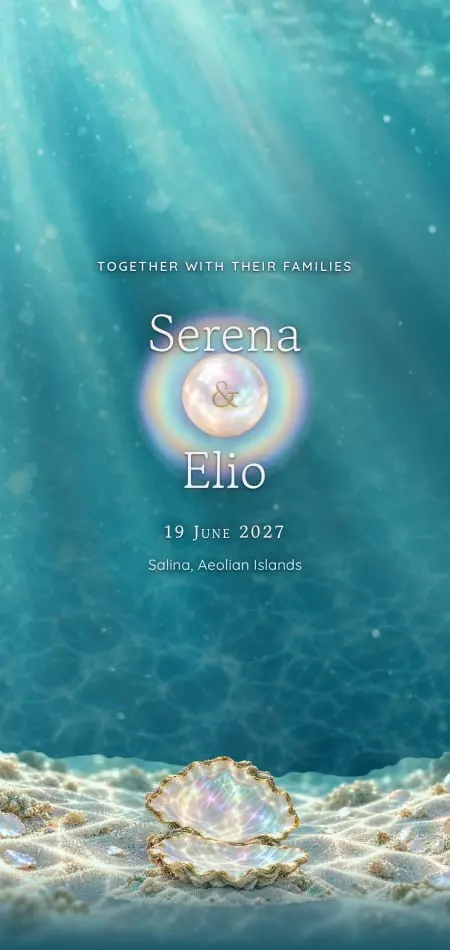
Open Nacre on a phone and tilt it: the mother-of-pearl shimmers with the angle, and the date lights only when a shell is turned to catch the light. A video could show that once, the same for everyone; the live Nacre demo does it in each guest's hand.
Video vs animated wedding invitation, side by side
| Video invitation | Animated web invitation | |
|---|---|---|
| Format | A file (MP4) or a video link | A private web page on one link |
| What guests do | Watch, start to finish | Open it with a gesture, scroll, tap, reply |
| Sound | Baked in; often plays muted in feeds | If included, starts on the first tap, with a mute button |
| Length | Fixed, usually under a minute | As long as each guest wants to read |
| File size | Grows with length and quality | Nothing to download or store |
| RSVP | None; needs a separate form or link | Built in, with names, dietary needs and notes |
| Map and calendar | Address shown as text to copy | Open in Maps and add-to-calendar buttons |
| Languages | One per file, or subtitles | Each guest can read their own |
| Edits after sending | Re-export and resend to everyone | The same link updates |
| Accessibility | Needs captions; text is pixels | Live text that zooms and screen readers can read |
| Best stage | Social posts, a screen, a family chat | Personal invitations that need answers |
| Cost (USD, checked 19 Oct 2026) | $37 template to $655+ custom | $199 to $999 at Veiloria, one time |
Video wedding invitation price: what each option costs
A video wedding invitation costs from nothing but your time to several hundred dollars: about $37 for a ready-made template (listed but unavailable when we checked), and from about $655 for a custom-illustrated video. Prices were read from each seller's pages on 19 October 2026, in USD (or the equivalent in your currency).
| Option | What you get | Price | RSVP included? |
|---|---|---|---|
| Make it yourself | Your photos and text in a video app | Your time, plus any app fees | No |
| Video template (Motion Stamp "Wildflower", edited in Canva) | An animated template you personalize | $37; marked unavailable when checked | No |
| Custom venue video (Motion Stamp) | Venue illustrated ($190) plus animated slides ($155 each, at least 3 recommended) | From $655; library music included, a Premium Beat track +$50 | Only with a $90 webpage |
| Designed animated web invitation (Veiloria) | One of 43 designs personalized by a designer, or an original on Bespoke | $199, $599 or $999, unlimited guests | Yes, on every plan |
Even the video studio offers an RSVP webpage beside its films: a film can't take a reply. For paper and per-guest pricing too, see how much a digital wedding invitation costs.
When a video is the right choice
A video is the right choice when the invitation is a moment to share rather than a message to answer.
- One post for everyone. An engagement announcement lives in a feed, and video is the native format there.
- A family that wants a film. India shows the highest relative interest in invitation videos on Google Trends, and Google suggests "video" for Arabic wedding invitation searches too. If your families forward a film from chat to chat, make the film and collect replies elsewhere.
- Real footage of the two of you. A pre-wedding shoot or a voice saying the words: moving footage belongs in a video.
- A screen in a room. An engagement party or a rehearsal dinner slideshow.
- Nothing to answer. An elopement announcement needs no RSVP.
When an animated invitation is the better choice
Choose an animated web invitation when the invitation has work to do: collecting replies, guiding guests to the venue, speaking more than one language, or absorbing a change.
- You need replies: names, dietary needs, children, song requests, in one list instead of forty messages.
- Something might change: fix a page once; a re-exported video leaves old copies circulating.
- Guests read different languages: one page shows each guest their own.
- There's more than a date to tell: schedule, dress code, travel and gifts become sections guests skim, not a long film of text cards.
This is what we make at Veiloria: 43 designs, each opened by a gesture of its own, with the RSVP inside, the map one touch away, each guest's language, and free updates on the same link until the wedding. These three are interactions, not playback:



In Instantané, guests shake their phone and your photo develops. In Céleste, they turn a brass astrolabe until it opens onto the real sky over your venue on your wedding night. In Givre, they cut along penciled lines until a paper snowflake falls open around your names. All 43 are in the collection. For sound, see our guide to a digital wedding invitation with music.
Can you have both?
Yes: send a short video as the hook and the animated invitation as the destination, in the same message. The clip carries the moment; the link carries the details and the reply.
A short teaser clip that links to the invitation
- Screen-record 10–15 seconds of the invitation's opening, vertical, sound on.
- End on a still card: names, date, town and "Invitation and reply: link in the message".
- Post it as a story or reel, or send it privately with the link in the same message.
Margaux & Henri · Saturday, June 12, 2027 · Loire Valley Here's a little preview 🎞️ Our invitation, with the day's details and your reply, is here: [your invitation link] Kindly reply by May 1.
More wording is in our WhatsApp wedding invitation messages. If the teaser goes out months ahead, it's a Save the Date: every design has a matching digital Save the Date.
How to make a wedding invitation video
Keep it to 20–45 seconds, vertical and under 25 MB, with licensed music and every detail on screen as text. The best wedding invitation video is one a guest understands with the sound off, on the first watch.
- Script six cards: names, date and time, venue, what to expect, reply-by date, where to reply.
- Build them over your photos, footage or a template, with two fonts at most.
- Add licensed music and export (sizes below).
- Test on an iPhone, an Android phone and an email account.
- Send it with the details as text: address, date, reply link.
Length
Aim for 20–45 seconds, or 10–15 for a teaser. Give each text card 3–4 seconds, long enough to read twice; six cards come to about 20 seconds.
Format and file size
Export an MP4 (H.264 video, AAC audio), at 1080 × 1920 pixels for phones or 1920 × 1080 for a screen. Size is roughly bitrate × seconds ÷ 8:
| Length | At 4 Mbps | At 8 Mbps |
|---|---|---|
| 15 seconds | about 7.5 MB | about 15 MB |
| 30 seconds | about 15 MB | about 30 MB |
| 45 seconds | about 22.5 MB | about 45 MB |
| 60 seconds | about 30 MB | about 60 MB |
Gmail's attachment limit for personal accounts is 25 MB; above it, Gmail swaps the file for a Google Drive link (Gmail Help, checked 19 October 2026). Messaging apps may recompress video, so test that fine lettering survives.
Music rights
A song on your phone isn't a song you can publish. YouTube matches uploads against rights holders' files with Content ID, and a match can get the video blocked, monetized by the rights holder or tracked (YouTube Help, checked 19 October 2026). Motion Stamp, for one, says it is required to use commercially licensed music. If the video will be posted publicly, license yours.
Captions
If anyone speaks, caption it: WCAG 2.1 makes captions for prerecorded audio a Level A requirement, its most basic level (W3C, criterion 1.2.2). And Chrome autoplays video only muted until the viewer interacts, so every detail belongs on screen as text.
AI wedding invitation video makers: what to watch for
An AI wedding invitation video maker can draft a film in minutes, but check every letter, every face, the watermark, the music license and what happens to your photos. The term is a Breakout search, and "wedding invitation video free download without watermark" is up 450% (Google Trends, worldwide, checked 19 October 2026).
| Check | Why | What to do |
|---|---|---|
| Names, date, venue | Generated lettering can garble | Type all text as overlays |
| Your faces | Animated photos can drift | Watch it full screen before sending |
| Watermark | Free exports often carry one | Export a test before you design |
| Music | The license may cover private use only | Read the terms on posting publicly |
| Your photos | Uploads may be stored or reused | Read the privacy terms first |
Sources
All checked on 19 October 2026.
- Google Trends, "wedding invitation video" (US and worldwide, past 5 years; related and rising queries). Relative indices, not volumes.
- Chrome for Developers, Autoplay policy in Chrome.
- Motion Stamp, custom venue wedding invitations: pricing and timeline and Wildflower Canva video template, in USD.
- Gmail Help, Send attachments with your Gmail message.
- YouTube Help, How Content ID works.
- W3C, Understanding Success Criterion 1.2.2: Captions (Prerecorded).
Frequently asked questions
What is the difference between a video and an animated wedding invitation?
A video invitation is a film file guests watch; an animated invitation is a web page guests open, touch and reply from. Only the animated one holds the RSVP, map and calendar, and it updates on the same link after it's sent.
How do I make a video invitation for my wedding?
Write six short text cards (names, date, venue, what to expect, reply-by date, where to reply) and set them over your photos or a template in a video app. Give each card 3–4 seconds, add licensed music, export a vertical MP4 and send it with the RSVP link as text.
How long should a wedding invitation video be?
Keep a wedding invitation video to 20–45 seconds, and a teaser to 10–15. That leaves each text card 3–4 seconds, long enough to read twice.
How much does a wedding invitation video cost?
It ranges from your own time to several hundred dollars. On 19 October 2026, Motion Stamp listed a Canva video template at $37, marked unavailable, and custom venue videos at $190 for the artwork plus $155 per animated slide (three recommended), with a Premium Beat track (+$50) and an RSVP webpage (+$90) extra.
Can you RSVP from a video invitation?
No, a video can't collect replies on its own. Send it with a link to an RSVP form or web invitation in the same message, and end the video on a card that says where to reply. In an animated web invitation, the reply sits inside.
Can I send a video invitation on WhatsApp?
Yes, a video file sent on WhatsApp plays inside the chat. Send the address, date and RSVP link as text in the same message, since guests can't tap anything inside a video, and send it to yourself first to check the lettering stays sharp.