
Comparisons10 min read
Canva Wedding Invitations vs Custom: What You Really Get
A Canva or Etsy invitation is a file you finish yourself; a designed one is a link with the RSVP inside. What each includes, what free really costs, and when free is enough.
By The Veiloria AtelierPublished Updated
Contents
- The short answer: Canva wedding invitation or custom?
- What you get with Canva, Etsy and free digital wedding invitations
- What a custom digital wedding invitation adds
- Free vs custom wedding invitations, side by side
- The real cost of free: your time
- When free is the right choice
- When paying makes sense
- A middle path between free and custom
- Sources
- Frequently asked questions
A Canva wedding invitation is a design you make yourself, free or on a paid plan, and send as an image, PDF, video or simple web page; the RSVP and the sending stay with you. A custom digital invitation is made for you by a designer and arrives as one private link with the RSVP inside, for one price: $199 to $999 at Veiloria.
Below: a side-by-side table, a worksheet for your hours, a checklist for when free is right, and three middle paths. We make Veiloria, so read this knowing our bias; every outside fact is linked and dated (checked 19 October 2026).
The short answer: Canva wedding invitation or custom?
Choose Canva or a free tool if your wedding is small, your guests share one language and you enjoy designing; choose a designed invitation if you'd rather spend those hours elsewhere or need replies, languages and changes handled in one place.
A template is a ready-made layout you edit and finish yourself. A designed invitation is made by a designer around your wedding, proofed with you and delivered ready to send. What differs is who does the work and what arrives at the end.
Weighing services rather than approaches? Our comparison of the best digital wedding invitation sites covers ten, with prices.
What you get with Canva, Etsy and free digital wedding invitations
Free and low-cost tools give you artwork; everything after the guest looks at it is yours to build. That is their strength and their limit: total control, and total responsibility.
Canva is a general design tool with free and paid plans. Its prices vary by region, so we don't quote a current one: for reference, PricingSaaS, which tracks Canva's pricing page, recorded Canva Pro at US$144 a year for one person on 11 September 2026. Check yours on canva.com/pricing.
Digital wedding invitations on Etsy are usually editable designs: you pay the seller once and receive a file or a link to edit, often in Canva. Some sellers personalize for a fee; the listing says which.
A design file, not an invitation
What you finish in Canva or from an Etsy download is usually a file (a PNG or JPG image, a PDF or a short video), though Canva can also publish a simple website. An exported file holds the words you typed the day you exported it: if the ceremony moves from 4:00 to 4:30, you edit, export and resend, and some guests keep the first version. A published Canva website can be updated in place.
A file can't greet a guest by name, switch to their language or take their reply; a website can hold a reply form, once you set one up.
Where the RSVP comes from
An image or PDF can't collect a reply, so free invitations borrow an RSVP from another tool. The usual choices:
| RSVP source | Cost | What to know |
|---|---|---|
| Google Forms, linked in your message | Free with a Google account | Replies land in a sheet; you match each one to your guest list |
| Jotform for Canva, embedded in a Canva website | Free Starter plan | Lists 5 forms and 100 submissions a month, with Jotform branding (jotform.com/pricing) |
| A free wedding website such as Joy | $0/mo | Lists "Online RSVP" and "Hundreds of Digital Invites" (withjoy.com/pricing) |
| Replies by WhatsApp or text | Free | Every reply lives in a different chat |
All of these work. A form can sit inside a Canva website, but the questions, matching replies to your list and any reminders depend on the tool you set up. See our guide to digital wedding invitations with RSVP.
Video exports
A Canva wedding invitation video is an MP4 that plays the same for every guest: it cannot hold an RSVP, a map or a change of time. Interest is rising: "canva wedding invitation video" is among the fastest-rising searches related to "wedding invitation video", up 1,550% (Google Trends rising related queries, worldwide, checked October 2026).
A video makes a good teaser; pair it with a link for details and replies. Our guide to video vs animated wedding invitations explains how a living web invitation differs from a film.
What a custom digital wedding invitation adds
A designed digital invitation is one private link, made by a person, that opens with a moment of its own, holds every detail and collects every reply. It adds:
- A designer. You send your details; a person composes the invitation and shows you a proof before anyone sees it.
- An opening. The guest's first touch starts something: a seal breaks, a veil lifts, a pen writes your names.
- The RSVP inside. Attendance, names, dietary needs and a song request, gathered in one list you can export.
- Your languages. Each guest reads it in their own, without a second file.
- Changes on the same link. A new time is updated where guests already look.
- Someone to ask. A real person replies when something moves.
At Veiloria all six come with every plan, with unlimited guests and sends and 2 languages or more. You never touch an editor.
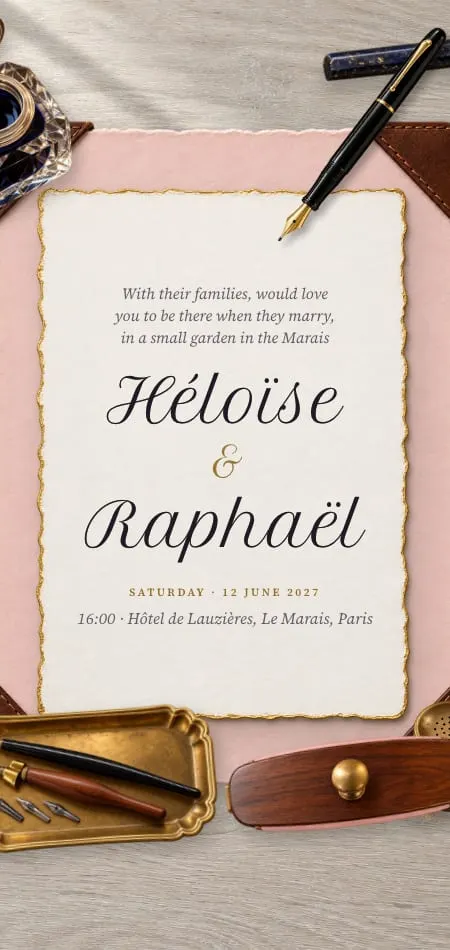
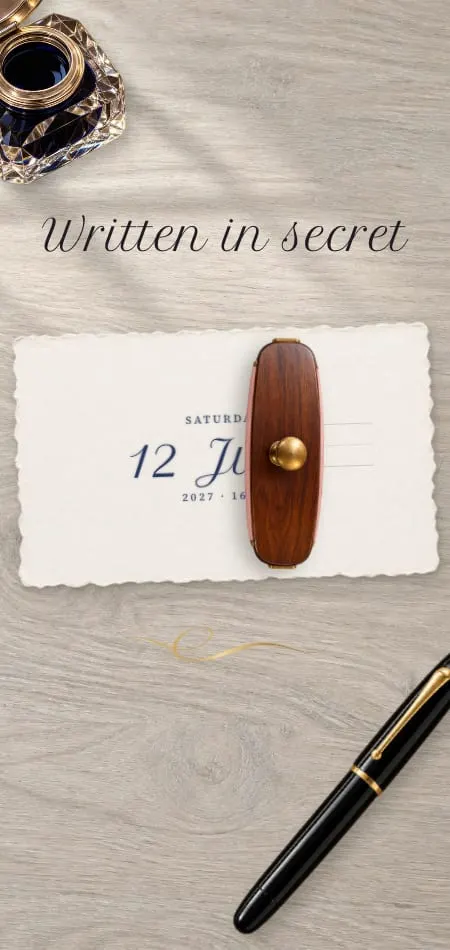
The Calligraphe digital wedding invitation shows the difference: tap the card and a pen writes the names of our demo couple, Héloïse and Raphaël, live; each guest signs their reply in the ink they choose.
Free vs custom wedding invitations, side by side
The real difference is what happens after you press send. As listed on 19 October 2026.
| Canva (made yourself) | Etsy design file | Designed invitation (Veiloria) | |
|---|---|---|---|
| Cost | Free plan; Pro recorded at US$144/yr (PricingSaaS, Sept 2026), varies by region | One-off price set by each seller | $199, $599 or $999 once, or the equivalent in your currency |
| Your time | All of it: design, RSVP, sending | Editing plus RSVP and sending | Sending details, approving proofs, sharing one link |
| Design | A large library of layouts, shared with other users | One seller's layout, sold to many couples | 43 original designs, personalized or redesigned by hand, or a blank page |
| RSVP | Separate tool (Google Forms), or a form embedded in a Canva website (Jotform) | Separate tool | Inside the invitation, on every plan |
| Languages | One file per language | One file per language | 2 / up to 3 / unlimited; each guest sees their own |
| Link or file | File, or a simple web page | File | One private link, plus a QR code to print |
| Changes | Re-export and resend files; update a published website | Re-edit and resend | Updated free on the same link until the day |
| Opening | None, or a video intro | None, or a video intro | A signature opening, started with a touch |
| Support | Canva's help center | The seller, if they offer it | A real person, usually the same day |
The real cost of free: your time
Free invitations cost nothing in money; what they cost in time depends on you. We found no published measure of those hours, so fill in your own:
| Task | What it involves | Your hours |
|---|---|---|
| Choose and edit the design | Fonts, photos, layout | |
| Write and proofread | Wording, times, every name spelled right | |
| A second language | Translate, check, lay out again | |
| Build the reply form | Questions, plus-ones, dietary needs, a deadline | |
| Prepare the guest list | Names, numbers, households | |
| Send | Each household, right file and link | |
| Match replies | Who replied for whom, who is missing | |
| Chase non-replies | One reminder round, then a second | |
| Handle a change | Edit, re-export, resend, answer questions |
Multiply your hours by what an evening of yours is worth, then add anything you paid (a Canva plan, an Etsy file, a form upgrade). For example, 15 hours at $20 an hour is $300 before any purchase.
If your total sits well under the price of a designed invitation, free is right. Our digital wedding invitation cost guide shows what paid options charge for 50 to 500 guests.
When free is the right choice
Free is right when the wedding is small, the guests share one language and you'd enjoy the time it takes. If most of these are true, a Canva design or Etsy file will serve you well:
- Your list is short enough that you know everyone's reply without a spreadsheet.
- Everyone reads one language.
- The wedding is informal, or close family will hear every detail by phone anyway.
- You, or a friend, enjoy design.
- You have a few free evenings before the send date.
- You're happy collecting replies through a form, WhatsApp or a free site like Joy.
- Nothing is likely to change once it's sent.
That is a perfectly good wedding invitation, and many couples should choose it.
When paying makes sense
Paying makes sense when time, languages or the guest list outgrow what you want to manage by hand.
- Your guests read different languages. One link in each guest's language replaces several files and several sets of replies.
- The list is long. Matching a hundred replies across WhatsApp threads and a form is real work.
- You're short of time. A designer works on it while you plan everything else.
- Details may change. A link updates; a file doesn't.
- The first impression matters to you. An opening made for your wedding is the closest a screen comes to breaking a seal.
Plan prices and what each includes are on the Veiloria pricing page.
A middle path between free and custom
You don't have to choose all or nothing.
- Canva for the art, a free site for replies. Send your Canva image with a link to a free wedding website such as Joy for the details and RSVP. It costs nothing; use whatever reminders the site offers.
- An Etsy seller who personalizes. You save the design hours; the RSVP and sending remain yours.
- A designed invitation from a collection. At Veiloria that is Essential ($199): a design from the collection with your names, wording, photographs and details, 2 rounds of revisions, 2 languages and the RSVP included. For a page that begins blank, see our guide to bespoke digital wedding invitations.
Or mix them: a designed invitation for guests, Canva for the printed menu.
Sources
All checked 19 October 2026.
- Canva: pricing (regional; not quoted as current); PricingSaaS record of Canva's pricing page, 11 September 2026.
- Jotform: Jotform for Canva, Canva wedding website RSVP forms and pricing.
- Joy: pricing.
- Google Trends: rising related queries for "wedding invitation video", worldwide (relative growth, not volume).
- Veiloria: the design collection and pricing.
Frequently asked questions
Can you make a digital wedding invitation on Canva?
Yes. You can design one on Canva's free plan and download it as an image, PDF or video, or publish it as a simple web page. The RSVP isn't part of an exported design, so couples link a form such as Google Forms, embed one such as Jotform in a Canva website, or send guests to a free wedding website.
Are free digital wedding invitations worth it?
They are worth it for a small, informal wedding in one language, when you enjoy designing and have the time. They cost nothing in money; count the hours for design, reply forms and follow-up before you decide.
Can a free invitation include an RSVP?
Yes, through a separate tool. Google Forms is free with a Google account, Jotform's free Starter plan lists 100 submissions a month, and Joy's free wedding website includes online RSVP. Depending on the tool, you may match each answer to your guest list yourself.
How do I send a Canva wedding invitation?
Download it as a JPG, PNG, PDF or MP4 and send it by WhatsApp, text or email, with your RSVP link in the same message, or share the link if you published it as a web page. Send to each household individually, not a group chat, so every reply is easy to trace.
Is it cheaper to make your own wedding invitations?
In money, yes: a Canva design can cost nothing, and an Etsy file is a one-off payment. In time, add up the design, reply form, sending and reminders, which are yours to set up. A designed invitation costs more up front and takes most of that work away.
What's the difference between a template and a designed invitation?
A template is a ready-made layout you edit and finish yourself, and many couples use the same one. A designed invitation is made for your wedding by a designer, proofed with you and delivered ready to send, usually with the RSVP inside one link. The first saves money; the second saves time.